I used to keep paint swatches in one drawer, contractor numbers in my phone, and renovation ideas bookmarked across three different browsers.
You know what happened? I’d start a project and couldn’t find the measurements I wrote down. Or I’d forget which shade of white I loved for the trim.
Every home project felt like starting from scratch.
Here’s what changed everything: I built a single place to keep it all. One system where my paint colors live next to my budget notes and contractor contacts.
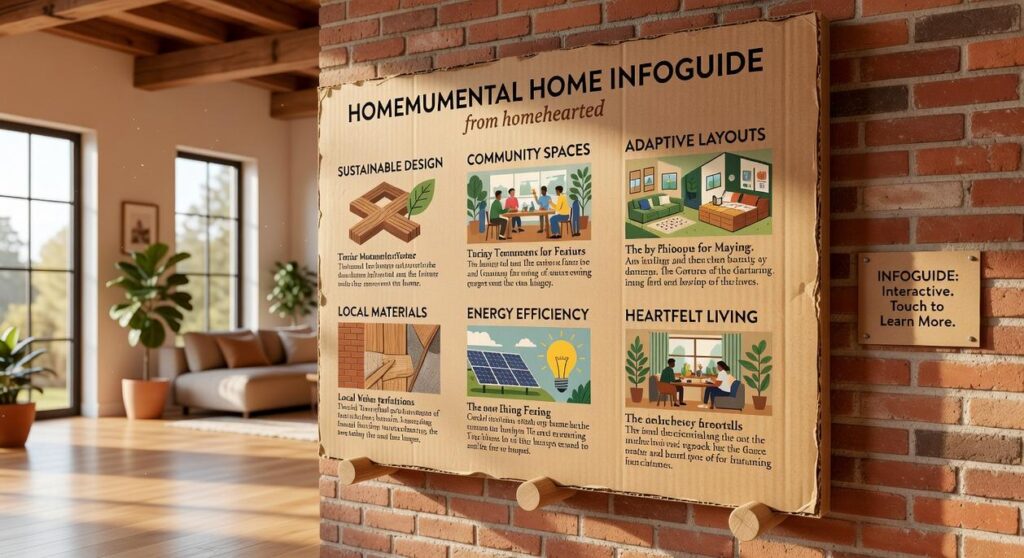
I call it the Homenumental Home Infoguide.
This isn’t about buying fancy planners or downloading another app that you’ll forget about in two weeks. It’s about creating your home’s master plan that actually works for how you live.
The framework I’m sharing comes from basic project management principles. But I’ve stripped out the corporate stuff and kept what actually helps homeowners get things done without losing their minds.
You’ll learn how to set up your own system that grows with your home. Whether you’re planning a kitchen remodel or just trying to remember where you bought that perfect light fixture.
No more digging through old emails to find that contractor’s quote. No more forgetting which Pinterest board had the tile you loved.
Just one place where everything about your home lives and breathes.
Step 1: The Foundation – Your Home’s ‘Master Document’
You know what nobody tells you about home ownership?
You’ll forget everything.
That paint color you loved three years ago? Gone from memory. The model number of your water heater when it starts leaking on a Sunday? No idea where you put it.
I learned this the hard way when my HVAC died in July and I spent two hours digging through email receipts trying to find the warranty info. Never again.
Here’s what I do now.
I keep what I call a Homenumental home infoguide. It’s just a fancy name for one place where everything about my house lives.
Think of it as your home’s birth certificate and medical records rolled into one.
Here’s what goes in mine:
- Room measurements and flooring types (you’ll need this more than you think)
- Every paint color with the actual brand and sheen (not just “that blue we liked”)
- Appliance model numbers and purchase dates
- Warranty documents that actually matter
- Contact info for your utility companies and that one plumber who doesn’t charge extra on weekends
Some people swear by physical binders. They like flipping through pages and having something tangible when the internet goes down (fair point).
I use a Google Drive folder because I can access it from my phone while standing in Home Depot trying to match paint. Plus I can’t lose it in a move.
The real answer? Use whatever you’ll actually maintain. A perfect system you never update is worthless.
Start with one room this weekend. Just one. Write down what’s there and move on.
You’ll thank yourself later.
Step 2: The Inspiration Hub – Curating Your Vision
You’ve probably saved hundreds of images on Pinterest.
But when it comes time to actually design a room, you stare at that jumbled collection and feel more confused than inspired.
I used to do the same thing. Save everything that looked nice and hope it would somehow come together later. It never did.
Here’s what changed for me.
I stopped collecting and started curating. There’s a difference.
The Mood Board Method
Pick one room or project. Just one.
Now create a dedicated mood board for it. Not a giant folder of random stuff. A focused collection that tells a story. Crafting a mood board for your game is not just an exercise in aesthetics; it’s about creating a Homenumental narrative that encapsulates the essence and journey of your project. Creating a mood board that truly resonates with your game’s theme is essential for shaping a Homenumental narrative that captures the heartfelt journey and vision behind your project.
Start by defining the feeling you want. Write it down. “Calm and airy” or “cozy and dramatic.” (This sounds simple but it changes everything.)
Next, pull 3 to 5 core colors from the images you love most. That’s your palette. Nothing more.
Then identify the textures and materials that keep showing up. Wood? Metal? Linen? These become your shopping filters.
From Vague to Concrete
This is where the real benefit kicks in.
You’re not just looking at pretty pictures anymore. You’re building a blueprint. When you walk into a store or browse online, you know exactly what fits your vision and what doesn’t.
That “I like that” feeling becomes “I need a linen throw pillow in sage green.” See the difference?
The homenumental home infoguide from homehearted approach means you spend less time second-guessing and more time actually creating the space you want.
Your mood board becomes your shopping list. Your design plan. Your way to stay on track when a thousand options try to pull you in different directions.
Step 3: The Project Playbook – Planning for Success

You’ve picked your project. You know what you want.
Now comes the part where most people stumble.
They jump straight into demo day without a real plan. Then three weeks in, they’re over budget and wondering why the electrician can’t start because the drywall isn’t up yet.
I’ve been there. It’s frustrating.
Some folks will tell you that detailed planning kills momentum. They say you should just start swinging the hammer and figure it out as you go. And sure, for hanging a picture frame, that works fine.
But for anything bigger? That’s how you end up with a half-finished garden homenumental project sitting in your yard for six months. Homenumental House Infoguide by Homehearted is where I take this idea even further.
Here’s what actually works.
Breaking Down Your Project
Take that big scary goal and chop it into pieces you can actually handle.
Let’s say you’re remodeling your kitchen. Don’t think of it as one massive project. Think of it as:
- Demo and removal
- Electrical and plumbing updates
- Drywall and paint
- Flooring installation
- Cabinet installation
- Countertop installation
- Fixture and hardware
Each piece becomes its own mini project. Way less overwhelming.
Your Budget Template
I use a simple spreadsheet. Nothing fancy.
You need four columns: Item, Estimated Cost, Actual Cost, and Difference.
Your line items should cover materials, labor, permits, and here’s the part people forget (a contingency fund of 15-20%).
Trust me on that last one. Something always comes up.
The homenumental home infoguide from homehearted breaks this down even further if you need more detail.
Getting Your Timing Right
This is where people really mess up.
You can’t install cabinets before your flooring goes in. You can’t paint before drywall. Seems obvious, but I’ve watched contractors show up only to leave because the previous step wasn’t done. Just as proper sequencing is crucial in home renovations, ensuring that each element aligns seamlessly with the next, the “Decoration Guide Homenumental” serves as an essential roadmap for gamers looking to design immersive spaces in their virtual worlds. Just as you wouldn’t hang artwork before the walls are painted, following the principles laid out in the Decoration Guide Homenumental can ensure that every aspect of your gaming space comes together in perfect harmony.
Write out your sequence. What has to happen first? What can happen at the same time?
A simple timeline on paper works. Or grab a free Gantt chart template online if you want to get fancy.
The point is knowing what comes next so you’re not sitting around waiting.
Step 4: The Professional Rolodex – Building Your Trusted Team
You don’t want to be googling “emergency plumber near me” at 2 AM while water floods your kitchen.
Trust me on this.
I keep a list of professionals I can call without hesitation. Not just names. People I’ve vetted or who come from sources I trust.
Think of it as your homenumental home infoguide from homehearted. A working document that saves you when things go sideways.
Here’s what I check before adding anyone to my list:
Is the contractor licensed and insured? This isn’t optional. You need proof. Most states let you verify licenses online through their licensing board website.
Can they give you three recent references? Not from five years ago. Recent work. And I actually call those references.
How do they communicate? Do they return calls? Send updates? Handle changes without drama? You’ll find out fast.
I organize each contact like this:
Name and specialty at the top. Phone number and email. Notes about what they’ve done (replaced my water heater in 2023, great with tile work). Where the referral came from.
Keep it simple. A spreadsheet works. So does a note on your phone.
The goal is having REAL OPTIONS when you need help. Not scrambling through five-star reviews that might be fake.
Build this list now. Before you need it.
Step 5: The Maintenance Calendar – Proactive Home Care
Think of your home like a car.
You wouldn’t wait until the engine dies to change the oil, right? You’d follow a schedule. Check the fluids every few months. Rotate the tires. Keep things running smooth.
Your home works the same way.
Most people fix things when they break. I used to do that too. Then I realized I was spending way more money on emergency repairs than I would’ve spent on simple upkeep.
That’s where a maintenance calendar comes in.
I’m not talking about some complicated system. Just a simple schedule that tells you what to check and when. You can use your phone calendar or write it down. Whatever works for you.
Here’s what I do.
Spring hits, and I check the HVAC system. Clean out the gutters before summer storms roll through. Take a look at the roof while I’m thinking about it.
When fall comes around, I service the furnace. Winterize the pipes before it gets cold. Test the smoke detectors (because let’s be honest, we all forget).
The best part? This calendar connects right back to your Homenumental home infoguide. You’ve already got your appliance log with serial numbers and purchase dates. Now you just add the service schedule next to each item. Integrating the service schedule into your appliance log not only enhances your maintenance routine but also transforms your home into a true Garden Homenumental, where every detail is meticulously organized for optimal living. By incorporating the service schedule into your appliance log, you create a seamless connection to your Garden Homenumental, ensuring that every aspect of your home’s care is meticulously organized and easily accessible.
Your water heater needs flushing once a year? Put it on the calendar. HVAC filter changes every three months? Calendar.
You’re not just maintaining your home. You’re protecting what you’ve already invested in it.
Your Home, Optimized and Under Control
You now have a complete system for transforming how you handle home improvement.
From that first spark of an idea to keeping everything maintained years down the road, you’ve got a five-part framework that actually works.
No more digging through drawers for that paint swatch. No more scrambling to remember which contractor did your bathroom three years ago.
The chaos stops when you get organized.
A centralized resource changes everything. It turns overwhelming projects into something you can manage without losing your mind.
Here’s what you need to do: Create your Master Document today. It’s the foundation of your homenumental home infoguide from homehearted.
This single step puts you in control of your home’s domain.
Start with the basics. List your current projects and the information you already have scattered around. Build from there.
You came here looking for a better way to handle home projects. Now you have it.
The difference between homeowners who stay on top of things and those who don’t? A system they actually use.
Your home deserves better than sticky notes and crossed fingers. Decoration Guide Homenumental.